Introduction
When it comes to building a high-density data center, the cabling is its nervous system. Getting it right with fiber optic connectors like MTP and MPO isn't just a technical detail-it's what keeps your data flowing fast and reliably.
I've seen too many projects hit snags because of overlooked basics in deployment and maintenance. This guide walks through the essential, hands-on best practices for MTP/MPO systems, blending official guidelines with real-world lessons to help you avoid common pitfalls.
Follow Correct Installation Procedures
The journey to a reliable link starts the moment you unpack the connector. The single most important step is cleanliness. Contaminants like dust or oil on the ferrule end-face are a major cause of signal loss.
I always insist on using approved, lint-free cleaning tools-like click-style cleaners or reel-based tapes-for every single connection, a practice strongly emphasized by manufacturers like US Conec in their procurement guides . Never assume a connector is clean from the factory.
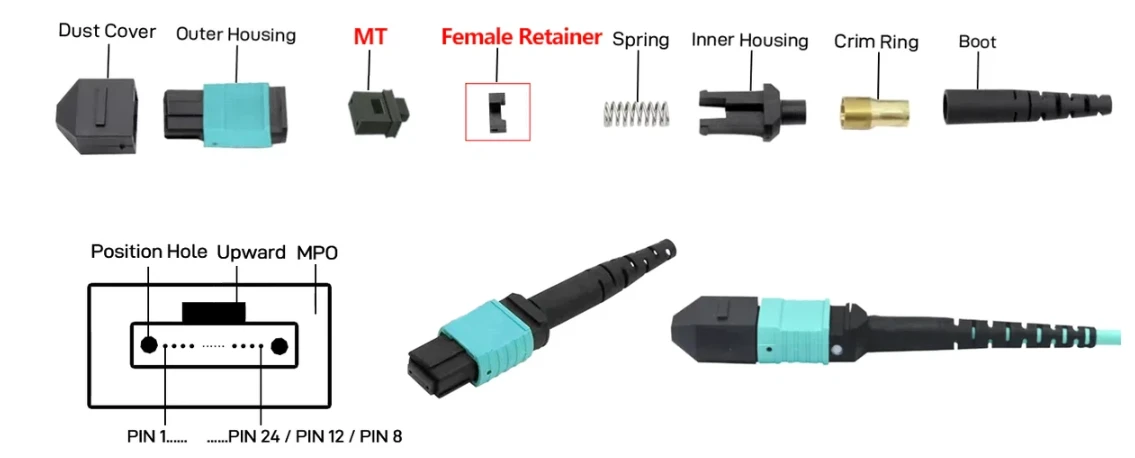
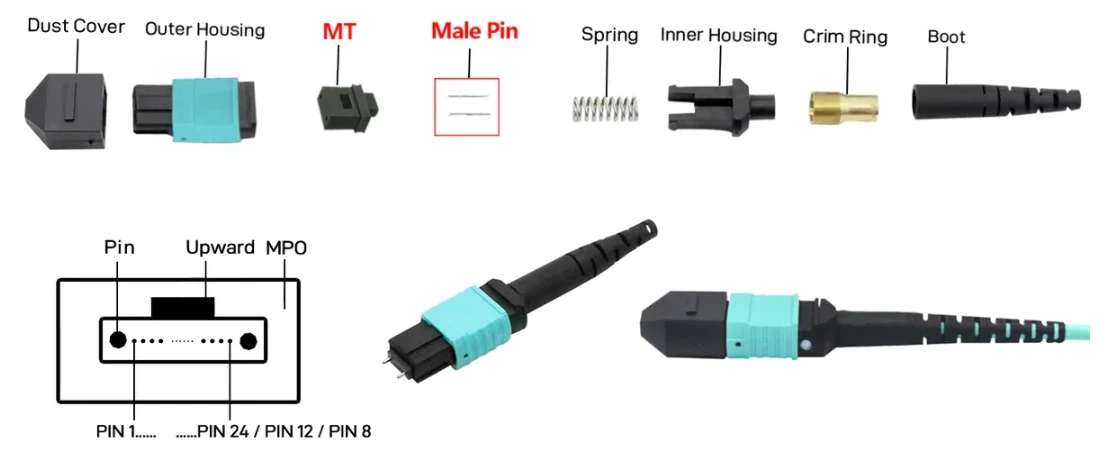
Handling is next. Always grip the sturdy connector body, never pull on the cable itself. When mating, align the connectors carefully and push straight in with firm, even pressure until you hear and feel a distinct click. Forcing it or twisting can damage the precise alignment pins inside. A common mistake I've seen is technicians rushing this step, leading to bent guide pins that ruin the entire connector. Immediately after disconnecting, protect the end-face with a dust cap. It's a simple habit that prevents countless problems later.
Set Up Polarity Correctly
Polarity mistakes can bring a network to its knees, and they're frustratingly common. The goal is to ensure a continuous light path from transmitter to receiver. The three main methods-A, B, and C-define how fibers are mapped across a link. For instance, Method B, often used for straight-through connections, requires a specific type of patch cord where the fiber positions are flipped at one end.
MTP connectors, with their color-coded keys and clearly marked "A" and "B" positions, are a huge help here. Before making any connections, I always sketch out or review the polarity diagram for the entire channel. As the FS Community blog points out, using the wrong patch cord type for your chosen method is a guaranteed way to create a non-working link . Double-checking this during the planning phase saves hours of troubleshooting later.
Test Every Link Thoroughly
Never, ever assume a link is good just because it's physically connected. Comprehensive testing is non-negotiable. The gold standard is using an Optical Time Domain Reflectometer (OTDR) alongside light sources and power meters. This isn't just about passing a test; it's about creating a performance baseline for the life of the cabling.
You need to measure two key parameters: Insertion Loss (IL), which is the signal strength lost over the link, and Return Loss (RL), which measures unwanted reflections. Industry standards like TIA-568 set the limits. For a typical MTP/MPO link, the maximum insertion loss is usually 0.5 dB. I always demand a test report from the installer for every link-this document is your proof of performance and is invaluable for future diagnostics. Furthermore, inspecting the ferrule end-face with a microscope after installation is a best practice that can reveal installation damage invisible to the naked eye.
Organize Cables Properly
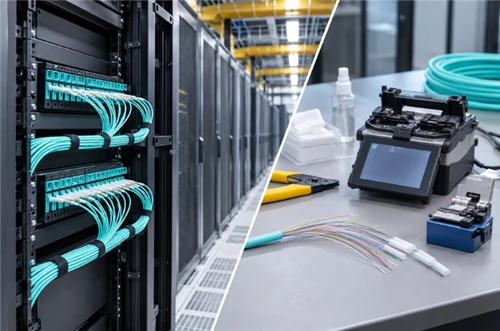
In a high-density rack, poor cable management doesn't just look messy-it causes real performance and reliability issues. Stress from tight bends can increase attenuation, and crushed cables can lead to permanent damage. I recommend using high-density patch panels with sliding trays, which make access and tracing cables much easier.
The bend radius rule is critical: maintain a minimum bend radius of at least 10 times the cable's outer diameter. Use bend radius protectors, especially at entry and exit points. Good organization also maintains proper airflow, preventing equipment from overheating. Finally, label every cable and port clearly. A few minutes spent labeling saves hours during a frantic troubleshooting session at 2 a.m. TechLogix NetVision's resources often highlight cable management as a foundational element for operational efficiency .
Fix Common Problems Quickly
Even with perfect installation, issues arise. The most common symptom is higher-than-expected signal loss. My troubleshooting mantra is: "Clean first, ask questions later." Re-clean the connectors at both ends-most problems are right there.
If loss persists, check for physical damage: scratches on the ferrule, or more commonly, bent or broken guide pins. Verify the polarity is correct for your system. Ensure the connector is fully seated in the adapter. One advantage of MTP-style connectors is that they are often designed for field re-termination. If a fiber is damaged, you can sometimes re-polish the end on-site instead of replacing the whole trunk cable, a feature that standard MPOs may not offer.
Plan for Future Upgrades
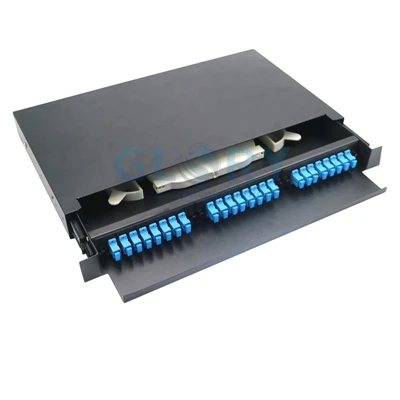
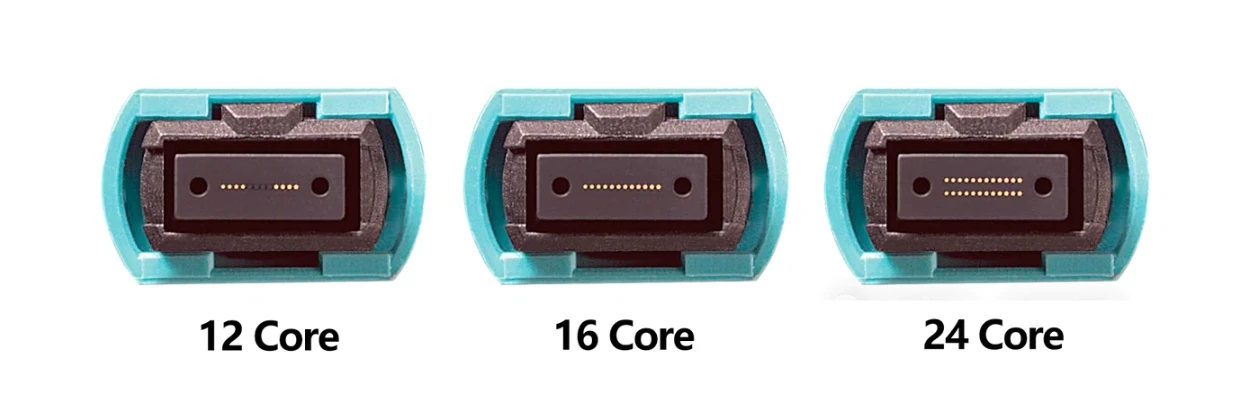
Data center needs only grow. A smart cabling strategy today builds in tomorrow's bandwidth. A powerful approach is to deploy a 24-fiber MTP trunk cable system from the start. Even if you're only deploying 40G networks today, that 24-fiber trunk can easily be split into two 12-fiber groups for 100G or 400G applications later, simply by changing the cassettes or modules in your patch panels.
Invest in patch panels that support a variety of cassette types (like 12-fiber or 24-fiber). This modularity means you can upgrade speeds in-place without the massive cost and disruption of a complete re-cabling project. It's a classic case of spending a little more upfront to save a lot later.
Maintain Regularly
Passive fiber infrastructure is often "set and forget," but it shouldn't be. A simple preventive maintenance schedule prevents major outages. I advise a visual inspection and cleaning of critical interconnect points every 6 to 12 months, or anytime a connection is broken. Keep a logbook or digital record of all test results, cleaning dates, and any changes made.
Over time, mechanical parts wear out. The guide pins, clips, and shutters on connectors are consumables. Check them during your inspections and replace them if they show signs of wear. Following a structured maintenance guide, like those offered by infrastructure providers, turns random reactions into a predictable, reliable process.
Train Staff on Safe Handling
Finally, none of this works without trained people. Proper handling is a skill. Technicians must be trained to always handle connectors by the body, use ESD protection when working with sensitive equipment, and never, ever touch the ferrule end-face. The oils from skin contact can create permanent hotspots of attenuation.
Store unused connectors in their protective cases. Create a culture where taking that extra second to clean and cap is second nature. In my experience, the ROI on this training is immense, leading to fewer failures, faster installations, and longer-lasting infrastructure.
In summary, mastering MTP/MPO deployment is about discipline and foresight. It combines rigorous adherence to basic practices-cleaning, testing, labeling-with strategic planning for future growth. By learning from the established guidelines of industry leaders and incorporating these hands-on lessons, you can build a fiber plant that is not only high-density but also highly reliable and ready for whatever comes next.