
Introduction: More Than Just a Building With Servers
A single AI training rack loaded with NVIDIA GPUs can draw 130 to 140 kilowatts. That is roughly the power consumption of an entire traditional data center row, packed into a single cabinet. The implications for facility design are profound: cooling systems designed for 5 kW racks cannot handle 140 kW racks. Power distribution sized for enterprise workloads cannot feed GPU clusters. And the old playbook for building a data center, the one that worked perfectly fine for twenty years, is being rewritten in real time.
Setting up a data center in 2026 is not what it was even five years ago. It is a multidisciplinary undertaking that touches real estate, electrical engineering, mechanical systems, telecommunications, information security, regulatory compliance, and increasingly, environmental sustainability. Whether you are building a small edge facility to support 5G latency requirements, a colocation center for regional enterprises, or a hyperscale campus for AI workloads, the fundamentals are the same even if the scale changes dramatically.
This guide walks through every major decision point in the data center lifecycle, from the first site visit to the final commissioning test. We will cover standards and certifications, power and cooling architecture, network design, physical security, cost realities, and the sustainability pressures reshaping the industry. No marketing gloss. No oversimplified checklists. Just the engineering and business decisions that determine whether your facility succeeds or fails.
What Is a Data Center, Really?
A data center is not a building full of servers. That is like calling an airport a building full of airplanes. The building is the least interesting part. What matters is the infrastructure: the power systems that keep electricity flowing without interruption, the cooling systems that remove heat generated by thousands of processors, the network infrastructure that connects those processors to the outside world, and the security systems that protect everything inside.
At its core, a data center is a carefully engineered environment designed to provide four things: reliable power, effective cooling, high-bandwidth connectivity, and physical security. Everything else, the servers, the storage arrays, the network switches, the GPUs, is cargo. The facility exists to create the conditions under which that cargo can operate without failure, twenty-four hours a day, seven days a week, for years at a stretch.
Data centers range from a single room in an office building drawing 50 kilowatts to hyperscale campuses consuming over 300 megawatts. A small edge facility might serve local 5G base stations. A colocation center might host equipment for dozens of enterprises. A hyperscale campus might train AI models for millions of users simultaneously. The scale changes, but the engineering principles remain remarkably consistent.
Standards and Tiers: The Language of Reliability
Before you build anything, you need to decide how reliable it needs to be. This is not a philosophical question. It determines every subsequent design decision, from how many UPS units you buy to how many cooling towers you install. And the answer has a direct, measurable cost.
The Uptime Institute Tier System
The Uptime Institute developed a four-tier classification system over thirty years ago that has become the industry's common language for reliability. The system rates the resilience of a facility's power, cooling, and physical infrastructure, not the IT equipment inside. Each tier builds on the requirements of all lower tiers.

Tier I (Basic Capacity) offers 99.671% availability with 28.8 hours of annual downtime. There is a single power path, no redundancy, and any maintenance requires a site-wide shutdown. This is suitable for office IT or development environments where downtime is an inconvenience, not a catastrophe.
Tier II (Partial Redundancy) adds N+1 backup on power and cooling, improving availability to 99.741% with 22 hours of annual downtime. Maintenance on redundant components is possible without shutdown, but primary systems still need scheduled outages.
Tier III (Concurrently Maintainable) is the industry standard for commercial facilities. It provides 99.982% availability with just 1.6 hours of annual downtime through full N+1 redundancy and multiple independent power and cooling paths. Any single component can be taken offline for maintenance without disrupting the data hall. In 2024, 57.4% of all U.S. data center construction was built to Tier III standards, with typical costs of $8 to $15 million per megawatt.
Tier IV (Fault Tolerant) goes further with 2N or 2N+1 redundancy, meaning every critical system has a physically isolated, fully active backup. Availability reaches 99.995% with only 26.3 minutes of annual downtime. The cost premium is 20 to 40% higher than Tier III. For a 10 MW facility, that adds $16 to $60 million in construction cost. Each minute of annual downtime reduction costs approximately $228,000 to $857,000 per 10 MW of capacity. Tier IV facilities are rare and typically reserved for financial institutions, government operations, and mission-critical infrastructure.
TIA-942: The Broader Standard
While Uptime Institute Tiers focus on electrical and mechanical infrastructure, ANSI/TIA-942 (latest revision 2024) covers a broader scope: telecommunications, architectural, electrical, mechanical, site selection, fire safety, and physical security. It rates four subsystems independently on a scale of Rated-1 through Rated-4, and the facility's overall rating is determined by the lowest rating among its subsystems. A data center cannot claim Rated-3 status if its electrical system is only Rated-2.
This is an important distinction: claiming a TIA-942 Rated-3 data center is not the same as claiming a Uptime Institute Tier III facility. The scopes differ, the auditor qualifications differ, and the certification processes differ. Savvy procurement teams specify which standard they require and verify the certification stage, because a facility holding only Design certification has not proven that construction matched the design.
Site Selection: Where You Build Matters More Than What You Build
You can design the most efficient data center in the world, but if you build it in the wrong place, you will regret it for the life of the facility. Site selection is the single most consequential decision in the entire process, and it is also the one most often driven by factors unrelated to engineering: tax incentives, land costs, and proximity to headquarters.
Here is the uncomfortable reality: a hyperscale campus can draw more than 300 megawatts. Securing that much power from the grid is not a matter of writing a check. In high-demand markets like Northern Virginia and Singapore, interconnection queues can extend 36 to 48 months. A 70 MW project in Nevada was halted for 18 months because the nearest transmission line had no available capacity. Start utility conversations early, and ask not just whether you can get 50 MW, but when, and at what cost.
| Factor | Why It Matters | Red Flag |
|---|---|---|
| Power Grid | 300+ MW needed for hyperscale; interconnection takes 18-48 months | Single utility feeder, no redundancy plan |
| Fiber Routes | Multiple carriers needed for redundancy and competitive pricing | Only one fiber path available |
| Climate | Cooling is 30-40% of energy use; cold climate = free cooling | Hot, humid climate with poor air quality |
| Natural Disasters | Floods, earthquakes, hurricanes cause extended outages | Site in FEMA flood zone or seismic fault line |
| Regulations | Zoning, water restrictions, ESG compliance vary by region | Water-stressed area denying evaporative cooling |
| Incentives | Tax abatements, equipment exemptions can save millions | Incentives with clawback clauses tied to job metrics |
Climate deserves special attention because it directly affects your operating costs. A 10 MW facility in Phoenix may spend up to 20% more annually on cooling than a comparable site in Portland. Colder climates allow free-air cooling, where outdoor air is used directly when temperature and humidity are suitable, dramatically reducing mechanical cooling energy. This is why hyperscale facilities in northern Europe regularly report PUE values of 1.03 to 1.12.
Natural disaster risk should be assessed using FEMA hazard maps, USGS seismic data, and historical weather patterns. Water availability is increasingly scrutinized: Utah and Arizona have paused or denied permits to new data centers due to water concerns, and some jurisdictions now require closed-loop or dry-cooled systems.
Power Infrastructure: The Heart of the Facility
Electrical systems account for 40 to 50% of total data center construction cost. They are the single most expensive subsystem, and they are also the most critical: without power, nothing else matters. Understanding power architecture is understanding the tradeoff between cost and reliability.
UPS Systems: Double-Conversion vs. Line-Interactive
The uninterruptible power supply is the bridge between the utility grid and your generators. When grid power fails, the UPS provides instantaneous power from batteries while generators spin up, a process that typically takes 10 to 30 seconds. The choice of UPS topology affects both cost and reliability.
Double-conversion (online) UPS continuously converts incoming AC to DC and back to clean AC, providing complete electrical isolation from utility disturbances. There is zero transfer time during power failures. This topology holds 44.65% revenue share in the data center UPS market and is the standard for Tier III and IV facilities. Modern systems like Schneider Electric's 2025 Galaxy VXL achieve 99% efficiency in eConversion mode, reducing losses below 1%. The cost is approximately 35% higher than line-interactive alternatives.
Line-interactive UPS is the cost-effective alternative for small-to-medium deployments, offering roughly 40% lower cost. It is suitable for Tier I and II facilities but is not recommended for Tier III or IV data centers where harmonic distortion and transfer time are unacceptable.
Redundancy Topologies: N+1 vs. 2N vs. 2N+1
The redundancy topology determines what happens when a component fails. The three primary architectures represent different points on the cost-reliability curve:
| Topology | Description | Tolerates | Best For |
|---|---|---|---|
| N+1 | One backup unit for each critical system | Single component failure | Enterprise, moderate uptime |
| 2N | Two fully independent power paths, each sized for 100% load | Loss of one entire path | Tier III/IV, AI training |
| 2N+1 | Two independent paths plus one shared redundant unit | Path failure plus unit failure | Tier IV, critical infrastructure |
For AI training clusters, the choice between N+1 and 2N has economic implications beyond pure reliability. AI training jobs lose progress on unplanned power loss and require restart from the last checkpoint. When job duration is long and checkpoint intervals are wide, the cost of a single restart often exceeds the capital difference between N+1 and 2N. Operators should map job duration and checkpoint frequency against power path repair time before choosing.
Power Density: The AI Revolution
Traditional enterprise data centers operate at 3 to 5 kW per rack. Modern hyperscale facilities target 10 to 30 kW. AI-optimized facilities? 50 to 140 kW per rack. NVIDIA's GB200 NVL72 racks are rated at 130 to 140 kW. Meta's OCP ORv3-HPR V4 racks push cabinet load capacity to 800 kW. Vertiv projects that AI rack-level power density will surge from 50 kW to 1 megawatt between 2024 and 2029.

This is not an incremental change. It is a paradigm shift. A facility built ten years ago for 5 kW racks has power distribution, cooling, and cable management designed for that density. You cannot drop a 140 kW GPU rack into that facility and expect it to work. The busway, the PDU, the breaker panel, the cooling unit, and the raised floor were all sized for a different era. This is why AI-optimized facilities cost $20 million or more per megawatt, compared to $10 to $12 million for standard hyperscale construction.
Cooling Strategy: Moving Heat, Not Just Making Cold
Cooling accounts for 30 to 40% of a data center's total energy consumption. It is the largest controllable factor in PUE after IT load itself. And it is the area where the AI revolution has had the most dramatic impact, because traditional air cooling simply cannot keep up with 140 kW racks.
Traditional Air Cooling: CRAC and CRAH
Computer Room Air Conditioning (CRAC) and Computer Room Air Handler (CRAH) units cool air before recirculating it through the data hall. This approach works well for densities up to 10 to 30 kW per rack, but as density increases, fan energy consumption rises rapidly and efficiency declines. Combined with hot aisle/cold aisle containment, which separates hot exhaust air from cold supply air, traditional air cooling can achieve PUE values of 1.4 to 1.8.
Hot/cold aisle containment is a design requirement for any serious PUE target below 1.2. Without containment, hot and cold air mix, the cooling system works harder, and efficiency plummets. Blanking panels in empty rack positions, sealed floor penetrations, and controlled return air paths are not optional features; they are fundamental design requirements.
Liquid Cooling: The Inevitable Shift
For densities above 30 to 50 kW per rack, air cooling hits a physical wall. The amount of air needed to remove that much heat becomes impractical: fan energy dominates, noise levels become dangerous, and the sheer volume of air movement creates structural concerns. This is where liquid cooling enters the picture.
Direct liquid cooling circulates coolant through cold plates mounted directly on CPUs and GPUs, removing heat at the source before it spreads through the server. This approach achieves PUE values of 1.03 to 1.15 and supports rack densities of 50 to 80 kW. The trade-off is a network of tubing and pumps that increases the risk of leaks and raises hardware compatibility concerns.
Single-phase immersion cooling submerges entire servers in a non-conductive dielectric fluid, eliminating the need for internal server fans entirely. This achieves PUE values of 1.02 to 1.10 and can support densities exceeding 100 kW per rack. The operational workflow changes are significant: technicians cannot casually open a server to swap a DIMM. But the thermal performance is unmatched.
Two-phase immersion cooling uses a sealed system where dielectric fluid boils and condenses for heat transfer, achieving the lowest PUE values (1.02 to 1.08) and the highest density capability. Nearly all server heat is captured by the fluid, creating uniform thermal conditions that extend component life. The trade-off is higher initial investment and complex fluid management.
For brownfield facilities expanding into AI workloads, hybrid cooling combines air and liquid cooling in the same building. This allows preservation of existing air-cooled racks while deploying liquid cooling where density demands it, enabling phased modernization without a complete rebuild. Liquid cooling also delivers measurable sustainability benefits: Microsoft research shows it reduces greenhouse gas emissions by 15 to 21%, energy demand by 20%, and water usage by 52% compared to air cooling.
PUE: The Universal Efficiency Metric
Power Usage Effectiveness is the ratio of total facility power to IT equipment power. A PUE of 1.0 means every watt goes to computing. A PUE of 1.5 means half a watt of overhead for every watt of compute. It is the single most cited metric in data center efficiency, and understanding where you stand relative to industry benchmarks is essential.
The industry average PUE is approximately 1.56, according to the Uptime Institute's 2024 Global Data Center Survey. Google reports 1.09. Microsoft reports 1.12. AWS reports 1.15. The best-performing facilities, using immersion cooling in cool climates, achieve 1.03 to 1.08. Typical enterprise data centers run at 1.4 to 1.6, and facilities above 1.6 are considered below average.
How do hyperscalers achieve such low PUE values? It is not one single technology but a combination: air-side economizer cooling that uses outdoor air when temperature is suitable, water-side economizer systems that reject heat without mechanical compression, higher chilled water supply temperatures (raising from 6 to 8 degrees to 14 to 18 degrees Celsius), direct liquid and immersion cooling that removes heat at the source, and AI-powered airflow optimization that can reduce cooling energy by up to 30%.
Regulatory pressure is raising the stakes. Germany's Energy Efficiency Act requires new data centers from July 2026 to achieve PUE of 1.2 or better, existing facilities to hit 1.5 by 2027 and 1.3 by 2030. The EU Energy Efficiency Directive requires annual sustainability reporting for data centers above 500 kW installed IT power, covering 24 sustainability indicators including PUE, water usage effectiveness, renewable energy factor, and energy reuse factor.
Network Architecture: The Nervous System
A data center without a network is just an expensive warehouse full of hot metal. The network design determines how quickly data moves between servers, how the facility connects to the outside world, and how gracefully the system handles failures. For AI workloads, network design is arguably more important than raw compute capacity, because GPU clusters spend a significant portion of their time waiting for data.

Spine-Leaf: The Modern Standard
The spine-leaf architecture has replaced traditional three-tier (core-aggregation-access) designs in modern data centers. It is a flat, two-tier topology where each leaf (top-of-rack) switch connects to every spine switch, creating a non-blocking, low-latency fabric. Every server can reach every other server in exactly two hops, which is critical for AI workloads where GPU-to-GPU communication latency directly affects training time.
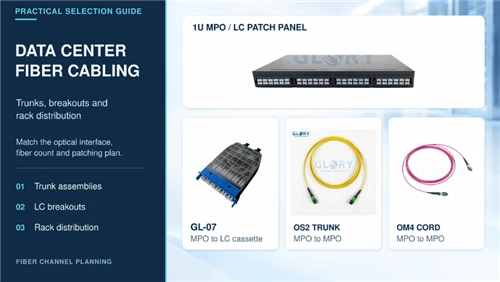
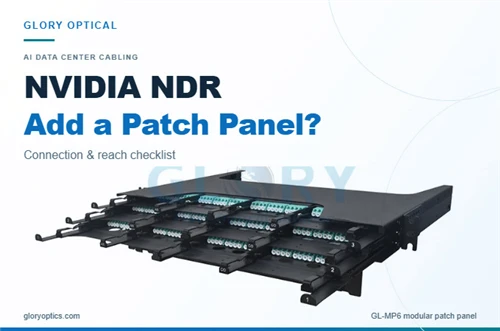
For AI clusters using NVIDIA H100 or B200 GPUs with 400G Ethernet or NDR400 InfiniBand, the spine-leaf fabric is almost always fiber-based for spine-to-leaf and leaf-to-rack scale-out links. The GPU-to-GPU fabric within a rack uses NVLink/NVSwitch for ultra-low-latency communication, while fiber MPO links handle the scale-out network between switches and racks.
Fiber Selection: OM4, OM5, or OS2?
Fiber type selection is one of the most frequently debated topics in data center networking, and the right answer depends entirely on your reach and optics strategy:
| Fiber Type | Best For | Reach at 400G | Cost |
|---|---|---|---|
| OM3 | Legacy enterprise, low density | 100G-SR4 to 300m | Lowest |
| OM4 | Standard AI leaf-spine, short links | 400G-SR8 to 100m | Moderate |
| OM5 | Multi-wavelength with SWDM4 | 400G-SR8 to 150m only | Premium |
| OS2 | Backbone, inter-building, DCI | 400G-DR4 to 500m | Higher optics cost |
For current AI clusters with links under 100 meters, OM4 remains the most cost-effective choice. At 400G, multimode transceivers are typically 30 to 50% cheaper per port than single-mode alternatives. However, for future-proofing, many operators run OS2 dark fiber alongside OM4, allowing upgrades to 800G or 1.6T without re-cabling. The fiber cable itself is inexpensive; the optics are where costs accumulate.
Cable Management: The Devil Is in the Details
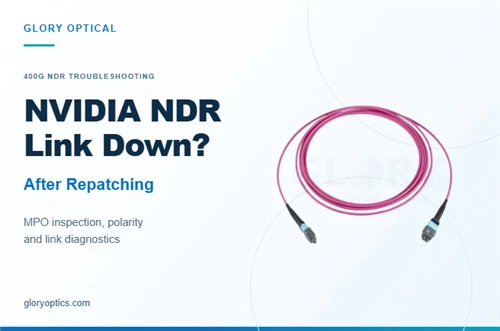
One area where data centers consistently fail is connector cleanliness. Every MPO connector end-face should be inspected with a handheld microscope at 200x or 400x magnification before mating. A single dust particle on an MPO connector can cause bit errors, retransmissions, and GPU collective operation timeouts that are maddeningly difficult to diagnose. Clean connectors using the dry clicker or wet-dry method per IEC 61300-3-35. Test MPO trunk cables for polarity with a calibrated continuity tester, because mismatched Type A/B polarity causes link failures that appear intermittent and random.
Multimode fiber has a minimum bend radius of 10 times the cable diameter under load and 7.5 times under no load. Violating bend radius causes macrobending losses that silently degrade signal quality. For single-mode fiber, no scratches or defects are permitted in the core zone within a 0 to 25 micrometer radius. These details seem trivial until a multi-million-dollar AI training run fails because of a dirty connector.
Cost Reality: What It Actually Takes
Let us talk about money, because everything else in this article is theoretical until you understand the cost structure. A standard hyperscale data center in 2025 costs $10 to $12 million per megawatt. A 50 MW facility costs between $800 million and $1 billion. An AI-optimized facility exceeds $1 billion per 50 MW and can reach $20 million or more per MW. Campus-scale AI builds of 1 gigawatt or more can reach $45 to $55 billion per GW.
The cost breakdown tells the story: electrical systems account for 40 to 50% of construction cost, mechanical and cooling systems 15 to 20%, and structural shell and core the remainder. IT hardware adds $20 to $40 million per megawatt on top of construction, with AI GPU fit-out adding a premium of $25 million or more per megawatt. A 100 MW AI-optimized facility requires $2 to $4 billion in servers, networking, and accelerators, bringing total upfront investment to $3 to $5.2 billion.
On the operational side, power is the largest expense, typically 40 to 60% of all operational spending. A 1 GW AI data center at full capacity consumes about 8.76 TWh annually, translating to approximately $350 million per year at $40 per MWh. At $0.15 per kWh, a gigawatt-scale site faces annual power costs of roughly $1.3 billion. Hardware refresh on a 3 to 5 year lifecycle for cutting-edge GPUs adds hundreds of millions in effective annual spending.
The Road Ahead: What Is Changing and Why It Matters
The data center industry is in the middle of the most significant transformation in its history. Three forces are converging: the AI compute explosion, the shift to edge and modular deployment, and the sustainability imperative. Understanding these trends is not optional for anyone involved in facility planning.
Modular data centers are reshaping deployment timelines. The global modular market was valued at $34.84 billion in 2025, projected to reach $143.08 billion by 2034 at 17.2% CAGR. Modular facilities deploy in 12 to 16 weeks versus years for traditional construction, cost approximately 30% less per kW, and reduce on-site waste by up to 90%. For edge computing and 5G integration, modularity is the only viable approach for the volume of deployments needed.
HVDC power architecture is gaining traction for AI facilities. Delta Electronics estimates HVDC chain efficiency at approximately 92% versus traditional UPS efficiency of 88%, eliminating multiple AC-to-DC and DC-to-AC conversion steps. Large operators could save roughly $3.6 million annually in electricity costs through HVDC adoption. Meta's OCP ORv3-HPR V4 racks introduced at the 2025 EMEA Summit use a 800V HVDC solution pushing cabinet load capacity to 800 kW.
AI inference is about to surpass training as the main driver of compute demand, projected to cross over in 2027. This shift has implications for data center design: training clusters in large central facilities, inference distributed across edge sites closer to users. The industry is moving toward a hub-region-edge multi-layer architecture.
Conclusion: Building for the Next Twenty Years
Setting up a data center is an exercise in tradeoffs. Every decision involves balancing cost against reliability, efficiency against complexity, speed against thoroughness. The tier system tells you how reliable you need to be. PUE tells you how efficient you are. TIA-942 tells you whether your design is comprehensive. But none of these frameworks will make the decisions for you.
The fundamentals are these: choose your site based on power availability and climate, not just land cost. Design your power and cooling for the density you will actually run, not the density you hope to run someday. Build a spine-leaf network with OM4 fiber for short links and OS2 for backbone. Implement physical security in concentric zones from day one. Deploy DCIM before you need it, not after the first incident. Budget for power as your largest operational expense, and plan for sustainability not as a compliance burden but as a competitive advantage.
And remember this: the data center you build today will operate for 15 to 25 years. The workloads it will run in 2035 do not exist yet. The power densities it will need to support are beyond what most current designs can handle. Build for flexibility, build for density, and build for the possibility that everything you think you know about data center engineering will be rewritten by the time your facility reaches middle age.