
A request for "400G cabling" is not yet a cable specification. One 400G optical module may use eight single-mode fibers through an MPO connector; another may use a duplex LC pair. Ordering by speed alone leaves the installer to discover the difference at the rack.
The useful starting point is the complete optical path: the two equipment ports, the installed route, every connection in between, and the person who will maintain it. Those details determine the fiber, connector layout, loss allowance and distribution hardware.

This guide focuses on the passive fiber infrastructure within Glory Optical's Data Center Cabling range. It explains where trunks, harnesses, cassettes and patch panels fit, then works through a 48-link example. The aim is a bill of materials that an engineer can check and an installation team can use.
Start with the route and the maintenance plan
Before choosing a panel, draw the route from one equipment port to the other. Record the rack locations, measured pathway, equipment connections and planned intermediate patching points. An overhead route across a room can be substantially longer than the distance shown between racks on a floor plan.
Then decide where changes will happen. A direct equipment-to-equipment cable can suit a short, stable connection. A structured arrangement with distribution panels makes more sense when equipment will be replaced, racks will be added or different teams need a clear handover point. Each extra patching point brings a maintenance benefit and consumes part of the optical loss allowance.
Separate the physical layout from the network topology
A leaf-spine topology describes how switches connect logically. It does not dictate a particular cassette or require every leaf-spine link to use an identical cable. The physical route might be direct, pass through an interconnect panel, or use a cross-connect field where changes are made with short patch cords.
| Arrangement | Suitable situation | Detail to settle before ordering |
|---|---|---|
| Direct cable | Short stable equipment connection | Replacement access and connector match |
| Interconnect panel | Backbone ending near equipment | Panel interface and channel loss |
| Cross-connect field | Frequent changes or managed handoffs | Extra connections and patching ownership |
Main Distribution Area, Horizontal Distribution Area and Equipment Distribution Area are useful location terms in a structured layout. Map those locations to the actual room rather than forcing a small enterprise installation to copy the layout of a much larger facility. The rack schedule and cable schedule should use the same names.
The project specification may reference ANSI/TIA-942-C or ISO/IEC 11801-5. These describe infrastructure and cabling requirements; the purchase of an individual panel does not establish that an entire facility meets either standard. ISO/IEC 11801-5 is the relevant data-centre cabling reference that replaced ISO/IEC 24764.
Design the second route as a separate route
Where the network requires A and B paths, show both on the drawings. Two cable assemblies in the same tray and the same panel can share a single physical failure point. Identify the required separation, panel positions and equipment ports before quantities are finalized.
Also agree what "spare capacity" means. It might mean unused fibers inside an installed cable, spare cassette positions, empty rack units or space in the pathway. These are different resources. Buying more fibers does not create room for another panel, and leaving a rack unit empty does not provide a second cable route.
Match the cable to the optical interface
Read the transceiver part number at both ends before selecting a trunk. Speed, fiber medium, reach, connector geometry and polish all matter. A compatible connector shape alone does not establish optical compatibility or support for a breakout mode.
The examples below show why a single cable description cannot cover every 400G or 800G port. Reaches are module examples from Cisco's published data sheets, not universal limits for every product using the same speed label.
| Optical application and example | Fiber and example reach | Active fibers | Equipment interface |
|---|---|---|---|
| 400GBASE-VR4 QSFP-400G-VR4 | MMF 50 m | 8 | MPO-12 APC |
| 400GBASE-SR8 QDD-400G-SR8-S | OM4 100 m | 16 | MPO-16 APC |
| 400GBASE-DR4 QSFP-400G-DR4 | SMF 500 m | 8 | MPO-12 APC |
| 400GBASE-FR4 QSFP-400G-FR4 | SMF 2 km | 2 | Duplex LC UPC |
| 800GBASE-VR8 OSFP-800G-VR8 | OM4 50 m | 16 | Two MPO-12 APC |
| 800GBASE-DR8 OSFP-800G-DR8 or DR8P | SMF 500 m | 16 | Two MPO-12 APC or one MPO-16 APC by SKU |
| 2 × 400GBASE-FR4 OSFP-2X400G-FR4 | SMF 2 km | 4 | Two duplex LC UPC |
Count the fibers carrying the signal
An eight-fiber parallel interface can use eight positions in an MPO-12 ferrule, leaving the middle four positions unused for that application. A fully populated 12-fiber trunk can use all twelve fibers when feeding six duplex LC circuits through suitable transitions. The number of positions in the connector and the number used by a particular optic are separate counts.
Likewise, two MPO-12 connectors can carry sixteen active fibers in the 800G examples above. That does not make them mechanically interchangeable with a single MPO-16 connector. A change of interface may require different equipment cords or a documented conversion assembly.
Check both the optical and host configuration
A passive harness only routes fibers. It does not change wavelength, modulation, Ethernet speed or a switch's electrical lane configuration. For a breakout connection, confirm the supported mode in the switch documentation and verify that the remote optics match the individual optical lanes.
Keep the approved transceiver part numbers in the cable schedule. If the optics change after the cable order is placed, repeat the interface check before shipment. This small review is easier than replacing a correctly manufactured cable that was ordered for the wrong module.
Choose OM4 or OS2 for a defined set of links
The fiber decision should follow the intended optics and installed distance. A room can reasonably contain both OM4 multimode and OS2 single-mode infrastructure, provided their routes, interfaces and records remain clear.
Where OM4 can be a practical choice
OM4 deserves consideration for short routes that fit the selected multimode optics. Check the complete channel length, including equipment cords, and the permitted connection loss. A route close to the optical module's reach limit leaves less freedom to add length during later rack changes.
Our MPO Fiber Patch Cord is a 12-strand OM4 assembly with female MPO connectors and custom length options. Its published typical insertion loss is 0.35 dB. A project that needs a guaranteed maximum must state that maximum in the approved specification rather than treating a typical figure as a limit.
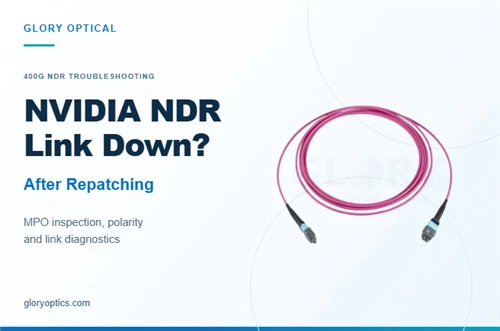
The order should identify the required connector polish and pinning for the actual ports. A photograph of a magenta cord cannot confirm that it matches an APC multimode interface. Current multimode module examples include APC MPO connections, so "multimode means UPC" is an unsafe shortcut.
Where OS2 can justify the investment
OS2 is worth evaluating for longer pathways, connections between rooms, or projects whose planned optics already use single-mode fiber. It can also be attractive when the team wants a common fiber medium across several link types. Compare the full system cost, including transceivers, termination hardware and maintenance stock.
Single-mode fiber does not dictate a universal connector. The examples on the previous page include both parallel MPO and duplex LC single-mode interfaces. A design based on duplex wavelength-multiplexed optics may need fewer active fibers per link, while a parallel arrangement can support a different breakout plan.
Do not select OS2 simply because a future speed appears beside it in a catalogue. Ask which future optic is being considered, whether its connector and lane map fit the installed plant, and whether the measured loss will meet its requirements. Where those details are undecided, preserve options through pathway space, accessible termination points and spare fibers.
Make migration a specific exercise
Take one planned upgrade and draw the before-and-after connection. Mark the items that remain installed and the items that change. A backbone may be reusable while the equipment cords or cassette arrangement need replacement. That is still a useful outcome, provided it is included in the plan and cost.
For existing infrastructure, inventory what is actually installed: fiber type, connector arrangement, usable fibers and test results. A new panel can improve access and organization, but it cannot change the optical properties of the cable behind it. Reuse should follow verification of the intended channel, not a general promise that a fiber category will support every later generation.
Select trunks and harnesses by their jobs
A trunk groups fibers along the main route. A harness fans those fibers out to individual connectors. Both can use MPO interfaces, but they solve different installation problems.

MPO trunk for the installed route
Our MPO 12 Fiber Cable provides a single-mode trunk option with custom lengths. Use this product family when grouped fibers need to run between distribution points. Specify fiber count, connector configuration, polarity, jacket rating and an individual assembly identifier on the order.
Measure length along the pathway and include the agreed service allowance at each end. Define where the supplier measures the assembly, particularly when a pulling arrangement is involved. Excess cable needs a storage location; a coil pushed behind the panel becomes a maintenance problem.
MPO to LC harness for the fanout
The MTP to LC Breakout Cable family includes single-mode harness configurations with four or six LC duplex branches. Select the actual fiber and branch count for the intended application. A six-duplex harness can expose twelve fibers for duplex circuits; an eight-fiber breakout uses a different lane allocation.
Specify the length and label of every leg. Equal legs can suit a compact adapter field, while staggered lengths may suit equipment ports spread across a rack. In either case, the fanout body needs support and the branches need a route that avoids strain at the connector boots.
A harness can connect to approved breakout optics or sit behind an adapter field. The same photographed assembly should not be assumed to serve both arrangements without checking the fiber map and connector details.
Resolve polarity before the order is released
Polarity describes where each fiber goes. The objective is straightforward: the transmitter at one end must reach the correct receiver at the other. With parallel interfaces, several lanes have to arrive in the right positions at the same time.
The following maps describe common 12-position MPO cable types. They describe the cable, not a complete channel method. Cassettes, adapters and equipment cords also affect the final path.
| Cable type | Example position mapping | Meaning |
|---|---|---|
| Type A | 1 to 1 and 12 to 12 | Straight through |
| Type B | 1 to 12 and 2 to 11 | Full position reversal |
| Type C | 1 to 2 and 3 to 4 | Adjacent pair reversal |
For a cassette-to-cassette duplex link, use the supplier's documented channel scheme. Type A, B or C is not a free choice once the cassette transitions and equipment cords have been fixed. A Type B trunk alone does not prove that an assembled duplex channel is correct.
Check the mechanical interface separately
Pinning is a different question from polarity. In a conventional MPO mating pair, one connector supplies alignment pins and the other is unpinned. Confirm each interface at the equipment, cassette and trunk. An adapter does not turn two unpinned plugs into the required pinned-to-unpinned connection.
Also record the ferrule format, keying and polish. An MPO-16 is not a plug-in substitute for MPO-12. APC and UPC faces should not be mated together. Do not rely on housing color alone, especially where colors are customized or protective caps hide the interface.
MTP is US Conec's brand of MPO-format connector products. It is useful to specify the required connector brand and series where the project calls for them, but the brand name does not replace a pinning, polarity or polish specification.
Review one complete channel on paper
Follow a labeled transmit fiber through the first equipment cord, cassette transition, trunk and far-end transition. Record the receiver it reaches. Repeat this check for every active lane, using drawings whose viewing direction and connector orientation are stated.
For a duplex design, the resulting record should identify both LC positions. For a parallel design, it should show the full lane map and any unused positions. Keep the drawing with the bill of materials so a replacement assembly can be ordered without reconstructing the route from memory.
Where a project uses several configurations, give them separate part numbers. "Same as the previous cable" is weak procurement language when the previous order contained different polarities. Approve a representative assembled channel before a large batch, and verify the installed mapping during acceptance.
Use a cassette when an LC patching field is needed
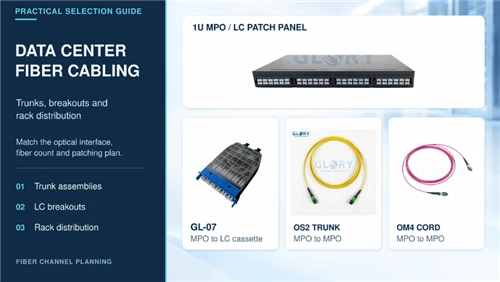
An MPO to LC cassette gives technicians individual LC connections while keeping grouped fibers on the backbone side. It can be useful where many duplex circuits share a route and the operating team wants clearly numbered front access.

What the GL 07 provides
The GL-07 MPO Fiber Distribution Box accommodates two MTP/MPO adapters and twelve LC duplex adapters, giving twenty-four LC fiber ports. Its ABS enclosure has a translucent cover. Available build variants include OS2 UPC, OS2 APC, OM3 and OM4, with press-buckle mounting for a panel or rack.
Twenty-four fibers support twelve conventional two-fiber duplex circuits. That distinction matters when a rack schedule uses the word "port" for both an individual fiber opening and a complete duplex connection. Write both quantities into the BOM.
Confirm the loaded assembly
The enclosure capacity does not specify the internal fiber map, optical loss or contents of every supplied build. Identify the loaded variant, rear MPO interfaces, front LC configuration and channel polarity on the approved drawing. Ask for insertion-loss data for the actual optical path.
Check the mounting interface against the intended panel drawing. The GL-07 should not be assumed to fit every frame described as LGX. For a direct parallel MPO link, a pass-through arrangement may be more appropriate than an LC transition. Choose the cassette because the channel needs its transition and access, then account for its optical connections.
Compare rack panels by usable capacity and access
A density figure is useful only when its unit is clear. Count individual fibers, duplex circuits, cassette positions and rack units separately. Then check whether the panel can be worked on with neighboring ports occupied.

| Glory product | Published capacity | Selection detail |
|---|---|---|
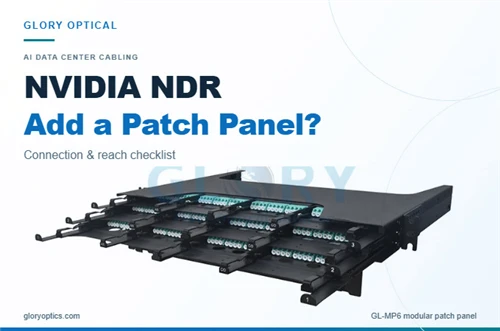
| GL-1U-4LGX/MPO ODF 19 Inch Rack | Four 24-fiber cassettes and 96 fibers in 1U | Confirm loaded module and rear cable access |
| 192 Core MPO Patch Panel | Up to 192 fibers in 2U with LC duplex configuration | Confirm drawer travel and module arrangement |
The GL-1U-4LGX/MPO ODF 19 Inch Rack provides a compact four-cassette platform. The 2U MPO Patch Panel offers a larger drawer-type distribution option. Use 192 fibers as the latter's capacity unit; it does not mean 192 duplex circuits.
For two-fiber duplex circuits, 96 fibers provide 48 circuits and 192 fibers provide 96. Both examples therefore offer a nominal 48 duplex circuits per rack unit at full stated capacity. The choice between them should also consider cabinet layout and maintenance access.
Request the loading drawing and confirm cassette compatibility. Check closed depth, rear connector clearance, strain relief and the space needed to move a drawer without pulling connected fibers. Allow a route for patch cords that leaves labels visible and lets a technician operate the latches.
Install the assembly without losing the planned margin
Factory termination removes a field connectorization task. It does not remove the need to protect the assembly during installation or test the installed channel. Keep caps on during routing, support the cable at the intended strain-relief points and follow the supplied pulling and bend-radius limits.
Route for the cabinet in its operating condition
Check the rack with its doors closed and drawers in their working positions. A cord that fits with a tray extended may be strained when the tray closes. Rear cable support should prevent the weight of a trunk from reaching the connector, while service allowance should be stored where it can be accessed without disturbing adjacent channels.
Use the assembly's actual minimum bend radius. Avoid transferring a value from another cable on the website, even when both have the same connector. Keep labels near enough to identify each end but clear of latches and tightly controlled bends.
Jacket selection also needs a precise order description. LSZH describes smoke and halogen characteristics; it does not by itself establish an OFNP plenum or OFNR riser rating. UL's guidance treats installation ratings and low-smoke halogen-free properties as separate classifications. Obtain the relevant product evidence and match the cable to the project's installation requirements.
Inspect before mating and measure after installation
Inspect both mating surfaces with a suitable video inspection system. If cleaning is needed, clean and re-inspect before connection. MPO work includes checking the ferrule area as well as the individual fiber end faces, using the agreed procedure for the connector type.
IEC 61300-3-35:2022 addresses visual inspection of debris, scratches and defects. It does not turn a cleanliness image into an optical-loss result. Agree how inspection and optical performance criteria will be applied; the 2022 edition also addresses cases where optical performance can take precedence after loose debris has been removed.
An optical loss test set provides the installed insertion-loss measurement. Verify length and polarity as part of the agreed Tier 1 acceptance procedure. Add OTDR characterization where the contract requires it or where event location is needed. An OTDR trace helps locate a problem; it does not replace the channel's OLTS acceptance measurement.
Build a bill of materials for 48 duplex links
Consider a planned connection between two distribution locations, each serving 48 duplex equipment circuits. Assume OS2 fiber, twelve-fiber MPO trunks and 24-fiber MPO to LC cassettes. Each cassette must have two compatible twelve-fiber MPO rear interfaces feeding twelve LC duplex connections.
This is a capacity example for duplex patching, not a 48-link direct parallel 400G or 800G design. The optical application, polarity and loaded components still need approval. The quantities cover one route only.
| Item | Calculation | Quantity for both ends and the route |
|---|---|---|
| Fibers needed | 48 circuits using two fibers each | 96 fibers across the route |
| Twelve-fiber MPO trunk assemblies | 96 divided by 12 | 8 trunks |
| Twenty-four-fiber cassettes | Four at each end | 8 loaded cassettes |
| Four-cassette 1U panels | One at each end | 2 panels |
| Duplex LC equipment cords | One per circuit at each end | 96 cords |
| Spare parts and test materials | Defined separately by project | Additional quantities to be agreed |
The trunk length comes from the measured route, not from this fiber calculation. Eight assemblies of the wrong length remain the wrong order. If cable lengths differ by position, identify them separately rather than averaging the total into one standard length.
Keep module selection conditional on fit
The four-cassette capacity corresponds to Glory's GL-1U-4LGX/MPO platform. Use its approved compatible loaded cassettes. The GL-07 illustrates a 24-fiber transition option, but it is not asserted here to fit that panel. If GL-07 is selected, obtain the matching carrier and loading drawing before converting this capacity example into an order.
Decide where expansion capacity belongs
This example fills the stated panel capacity. If the requirement rises to 60 duplex circuits, the route needs 120 fibers, ten twelve-fiber trunks and five 24-fiber cassette equivalents at each end. A four-position 1U frame would need an additional frame or a different distribution arrangement.
An additional trunk is useful only if termination capacity exists at both ends. Conversely, unused cassette positions do not provide installed fibers. Include spares deliberately, state whether they are installed or held in stock, and avoid counting the same reserve twice.
For redundant service, prepare a second route schedule with its own quantities and separation requirements. Doubling a BOM does not establish path diversity. The drawing has to show where the second set of components will actually go.
Send a quotation request that defines the channel
A clear request lets suppliers quote the same assembly and allows receiving inspection to check what arrived. Give each configuration a part number, then attach the channel drawing and the equipment interface schedule.
- State the fiber medium, fiber count, measured assembly length and jacket classification. Define the length measurement and any pulling arrangement.
- Identify connector format, brand or series where required, polish, pinning and key orientation at each end. Include the pin-to-pin map rather than only a polarity letter.
- For a harness, give the number of LC duplex branches, individual leg lengths and branch labels. For a cassette, specify the loaded contents and full transition map.
- Identify the panel, compatible cassette or adapter plate, capacity unit and required accessories. Include the rack depth and access constraints that affect fit.
- Set maximum optical-loss limits and the applicable test method, wavelengths and reference planes. Define field acceptance and the evidence required with each serial number.
- Agree the delivery schedule, inspection sample, packaging labels, approved substitute process and replacement stock. Keep commercial promises separate from the optical specification.
Compare quotations line by line. If one supplier quotes an empty enclosure and another quotes a fully loaded panel with tested assemblies, the prices describe different supplies. Resolve that difference before using the unit price to choose between them.
For a Glory Optical quotation, begin with the Data Center Cabling range and send the intended equipment interfaces with the route schedule. Those details allow the trunk, breakout and distribution hardware to be specified as one checkable channel.