
Adding a patch panel to an NVIDIA NDR link can make rack moves and maintenance easier. The decision depends on the complete optical path: total length, actual connection interfaces, insertion loss and the connector configuration at each end. The reach printed on a transceiver datasheet answers only part of that question.
Short answer: For MMA4Z00-NS, NVIDIA's 50 m reach includes a two-patch-panel reference condition. Review the actual route, connector configuration and applicable test requirements before adding a panel. Test each affected 400G branch after the change.
Published by Glory Optical Communication. Technical sources checked October 22, 2026.
This guide covers point-to-point 400G branches on the MMA4Z00-NS twin-port OSFP in the documented Quantum-2 and Spectrum-4 connection scenarios. Its two MPO-12/APC ports serve separate branches. Use the part number at both ends when reviewing a branch; another NVIDIA optical module can have different channel conditions.
In this guide
- The NVIDIA reach and patch-panel reference
- Count connections on the actual path
- Choose the panel layout and connector configuration
- Verify the changed link
- The review worksheet and Glory configuration options
1. What NVIDIA's reach and patch-panel reference means
The MMA4Z00-NS product introduction associates its 50 m reach with two optical patch panels. The operating-distance table lists 30 m on OM3 and 50 m on OM4. The introduction does not give a separate panel assumption for the 30 m OM3 figure.
| Item | Documented condition | Use in the review |
|---|---|---|
| Selected module | MMA4Z00-NS, two 400G optical branches | Review the route connected to each MPO port separately. |
| Connector and fiber | Two MPO-12/APC ports; multimode parallel optics | Keep the required fiber positions, polish and pin configuration through the new panel. |
| Reach | OM3: 30 m. OM4: 50 m. | Add the lengths of all jumpers, trunks and internal fiber in the proposed route. |
| Panel reference | Two panels in the 50 m reference | Map the actual assembly to the documented reference before assessing an extra panel. |
| Channel insertion-loss allowance | No explicit channel insertion-loss allowance is listed on the linked module specification page. | Obtain the applicable value and its reference planes from the module documentation or the responsible system integrator. |
The MFP7E10 application page describes its 50 m reference as two panels with four optical connector junctions in total. The wording alone does not establish how an arbitrary panel assembly or its endpoint interfaces map to that reference. Keep the source description with the actual drawing instead of translating it into a universal allowance of four mated pairs.
For a changed path, establish the applicable module conditions and the scope of the installed-path test before release. The linked module and cable pages do not prescribe a separate NVIDIA approval letter as a universal release requirement. An integrator can require written confirmation under the project's support or change policy; record that as a project requirement.

Figure 1. NVIDIA module data: two 400G MPO-12/APC branches, 30 m on OM3 and 50 m on OM4. The 50 m reference assumes two patch panels. The branch drawing is an editorial schematic. Sources: NVIDIA module documentation
2. Count connections on the actual optical path
A panel is a housing. Its optical contribution depends on what is inside it. One through adapter brings two connector ends together at one mated interface. A front-and-rear assembly linked by an internal MPO cable can introduce two mated interfaces on the same fiber path. Multiple unused ports in the housing add no loss to the branch under review.
Draw the route from the source optic to the receiving optic and number every connection. List the two equipment-to-cable couplings separately from intermediate panel connections. Match the path record to the boundary covered by the applicable module information and test method.
For each numbered interface, record the two mating connector part numbers, whether one side carries alignment pins, and which fiber positions connect through it. Include splices and other optical components as separate loss items. If a supplier specifies the complete insertion loss of an assembly, use its stated measurement boundaries to avoid adding the same internal connectors twice.
3. Choose the panel layout, pins and fiber map
Place the new connection point where technicians can reach the affected branch without disturbing adjacent live cables. Check patch-cord routing with the drawer or door in both its service and closed positions. Follow the installed cable's bend-radius and strain requirements.
| Layout choice | Maintenance benefit | Optical check |
|---|---|---|
| Through-adapter patch point | A local disconnect point with a short accessible patch cord | Count the actual new mating and confirm the connector pairing. |
| Front-and-rear assembly with internal fiber | Separates front maintenance access from rear trunk routing | Include both interfaces and internal fiber, or use the complete assembly loss with its declared boundaries. |
| Replace an existing inaccessible panel | Improves access without necessarily adding another connection stage | Compare the old and new internal paths, lengths and maps. |
The referenced MFP7E10 cable has unpinned ends, with alignment pins at its mating optical modules. At a new cable-to-cable mating, one connector must provide the required pins. A bulkhead adapter positions the connectors; it does not supply the ferrule alignment pins.
Specify APC-polished connector end faces throughout this MPO/APC route. Select adapters with the correct MPO/APC mechanical and key configuration; an adapter housing itself has no polished optical end face. Verify the complete fiber map so each transmit position reaches the intended receive position. The MFP7E10 specification publishes a Type-B map, including position 1 to position 12. Trace the complete path through every added part against the required endpoint map.

Figure 2. Connector checks at an added junction, plus the active position map published for MFP7E10. These are schematic faces; verify actual part drawings and adapter orientation. Sources: NVIDIA connector details NVIDIA MFP7E10 fiber map
A conventional MPO-to-LC fan-out cassette changes the interface arrangement. The parallel MPO branch discussed here needs a supported path for its active fibers through to the matching optic. Our MPO conversion cable versus module guide explains the separate conversion-hardware decision.
4. Verify the changed link
Use the proposed path drawing to define what the test includes. A trunk-only measurement cannot represent a channel containing extra patch cords and a new panel. The report must identify the tested reference planes, wavelength, reference method and included connections. An optical loss test set (OLTS) uses reference-cord matings at the cable ends; record which endpoint connections those matings represent.
- Isolate the affected optical path under the site's laser-safety procedure. Inspect the connector end faces, follow the module and cleaning-tool instructions, and inspect again before mating. See the MPO connector cleaning guide.
- Verify continuity and the complete fiber map. Test all eight active fibers of each affected point-to-point 400G branch, covering both transmission directions.
- Measure insertion loss with a test setup suitable for the multimode MPO/APC path. Use 850 nm for the application loss assessment and any additional wavelength required by the cabling acceptance specification. Confirm compatible reference cords and the required multimode launch condition with the test-system instructions.
- Compare the installed-path results with the documented application requirements and the project acceptance specification, using the method stated in the test plan.
- Restore the connection and verify link state, expected speed and width, and error-counter trends under the commissioning workload. Keep the measurements with the revised drawing and branch ID.
Fluke's MPO testing guide distinguishes testing a parallel MPO connection from testing a duplex path through cassette front ports. Match the report to the application path. Our MPO polarity and test-scope guide covers that distinction in more detail.

Figure 3. A trunk-only report and a full installed-path report cover different boundaries. Record the actual test scope, then verify service behavior for each affected branch. Confirm the installed topology separately. Sources: Fluke MPO testing guidance
If the NDR link remains down after the optical checks, use the separate NVIDIA NDR repatching troubleshooting guide for physical-link and InfiniBand state diagnosis.
5. Record the change and specify the panel configuration
Keep one current-versus-proposed record for each affected 400G branch. A concise worksheet makes the engineering decision repeatable without a long approval narrative.
| Field | Record before and after the change | Evidence |
|---|---|---|
| Endpoints and fiber | Module part numbers, port IDs, OM grade and active fiber positions | Labels, module specifications and cable records |
| Optical boundary and connections | Numbered equipment and intermediate interfaces; assembly internals | Current and proposed path drawings |
| Length and component loss | All segments; maximum loss per included interface or complete assembly | Exact part specifications and installed test records |
| Application requirements | Documented reach, supported configuration and applicable optical test requirements | Module/application information and the project acceptance specification |
| Connector configuration | APC end faces, pins/holes, adapter orientation and complete fiber map | Part drawings and continuity/polarity verification |
| Installed result | Installed-path optical results, link state and commissioning counters | Full-path test report and branch ID |
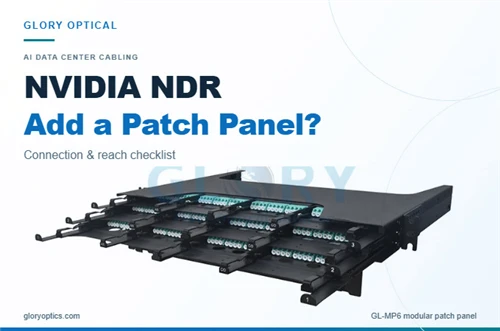
Glory's GL-MP6 modular patch panel offers a rack platform with front and rear access. For the NDR route discussed here, specify the actual MPO-to-MPO optical path, multimode APC connector arrangement and loss data with the drawing. The published multimode LC fan-out cassette configurations use different interfaces and do not by themselves establish a suitable NDR path.
Planning an additional maintenance point? Send Glory the module part numbers, current and proposed route drawings, lengths and required loss allowance. Review the patch-panel options, then request a configuration review for the enclosure, connector map and supporting test documents.
For a broader upgrade decision, see reusing MPO trunks for 400G/800G. The panel-addition review starts after the endpoints and intended optical path have been selected.
Frequently asked questions
Can an NVIDIA NDR link have more than two patch panels?
The cited module and cable pages describe a two-panel reach reference. They do not establish a blanket two-panel prohibition. Check the selected module's conditions, the actual connections and the supported topology before releasing the design.
Does one extra panel always add the same loss?
No. A through adapter introduces one mating on the fiber path. An enclosed assembly with front and rear interfaces can introduce two. Use its exact construction and loss specification, including internal fiber where applicable.
What information should accompany the proposed panel?
Provide the internal connection drawing, connector part numbers, fiber type, fiber map and the supplier's optical performance specification for the proposed configuration. Match those documents to the installed route and test scope.
Where should the optical acceptance requirements come from?
Use the applicable module/application documentation and the project acceptance specification. The linked MMA4Z00-NS specification page does not list an explicit channel insertion-loss allowance, so obtain the applicable requirements from the responsible system integrator when necessary.
Does staying within the published reach settle the panel decision?
Length is one condition. The connector arrangement, fiber map, optical performance and supported module configuration also matter. Include every jumper and internal fiber segment when documenting the proposed route.
Can two unpinned NVIDIA patch cords connect through an MPO adapter?
An adapter does not provide the alignment pins. The mating needs a suitable pinned connector on one side and an unpinned connector on the other, with matching polish and the required fiber map.
Does an optical test pass confirm that the NDR link is operational?
The optical report describes the path and parameters it tested. After reconnecting the branch, verify the expected link state, speed, width and error-counter behavior under the commissioning procedure.
Do both MPO ports of a twin-port module need their own test record?
Each affected 400G branch needs its own path and test results. If work changes both branches, review both. Keep the module port, panel position, receiving endpoint and active fibers tied to the same branch ID.
Sources
- NVIDIA: MMA4Z00-NS introduction and specifications.
- NVIDIA: MFP7E10-Nxxx application and connector details and fiber mapping specifications.
- Fluke Networks: MPO testing scope.